# Video ordering / Order flow
ScreensFlow
An order flow, one step at a time
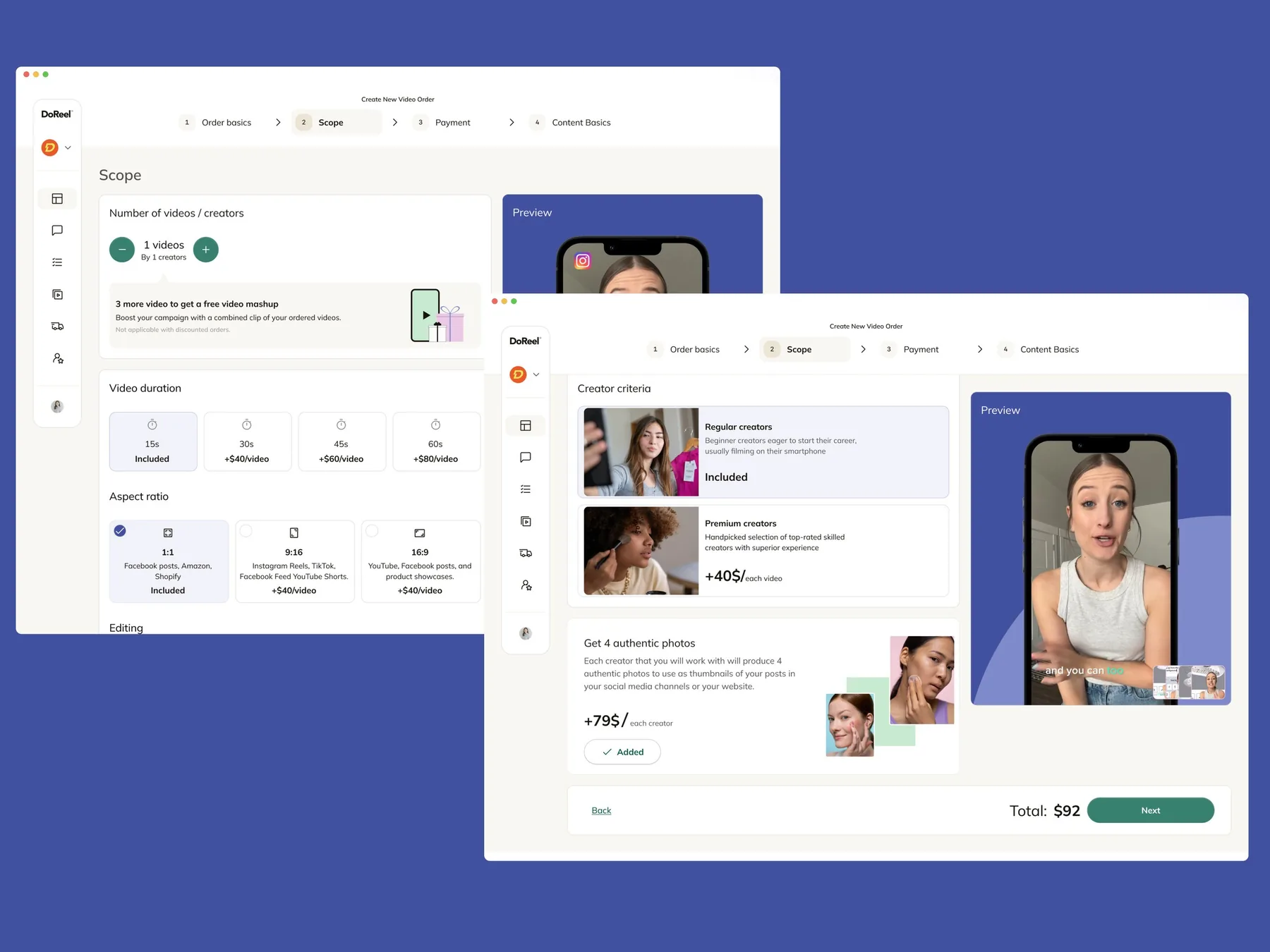
A step-by-step flow for ordering creator videos, with the scope set on the left and a live preview on the right.
View on DribbbleThe work
The paths we map before anyone designs a screen.
The problem
If 2 or more of these ring true, map the flow before designing more screens.
{{ countLabel }}
Selected work
Screens on Dribbble and Behance
# Video ordering / Order flow
ScreensFlow
A step-by-step flow for ordering creator videos, with the scope set on the left and a live preview on the right.
View on Dribbble# Influencer Marketing AI / Report flow
ScreensScreen flow
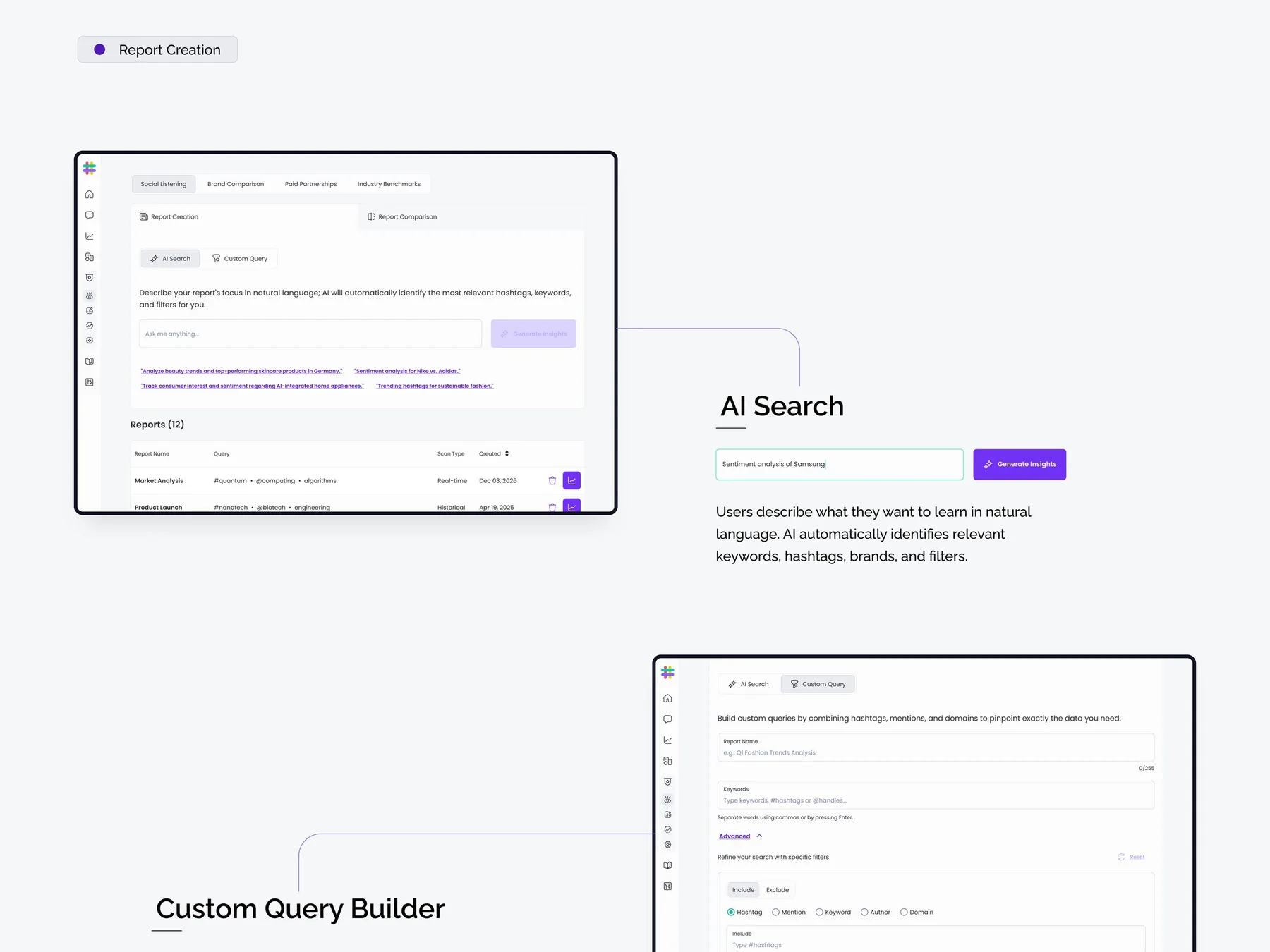
The screens behind creating a report, from AI search and a custom query builder to report processing.
View on BehanceProof
“When we bring her a new feature idea, she quickly turns it into thoughtful design options with relevant user states, journeys, and clear assumptions.”
Ways to start
Map a new feature, or fix a flow people struggle with.
# New feature
Every step, decision and failure point, mapped before the screens.
# Existing flow
Find where people get stuck, then redesign the steps that cause it.
A user flow shows the decisions and actions. A screen flow shows the actual screens for each step. We usually do both.
It depends on the scope. Once we’ve seen the full picture, we’ll share a rough timeline.
Yes. Failures, alternate roles and interrupted tasks are part of every flow we map.
Yes. The flows show every state and path, so developers know what to build.
Wireframes or UI, depending on how clear the screens already are.